摘要:本文是ANSYSAQWAWorkbench12.0官方帮助文档,介绍AQWAWB图形化界面的操作与建模规范。文档说明软件基于DesignModeler几何建模,支持面/线/点质量、点浮力、圆盘单元,提供自动网格划分与局部加密功能。核心支持水动力绕射分析,可设置重力、波向、波频与结构选择,输出静水力、响应幅值算子(RAO)、压力与运动结果。文档给出传统AQWA命令与WB树对象的对照,明确建模规则、单元限制、结果查看与动画导出方法,为海洋结构物初期水动力仿真提供标准化操作指南。ANSYSAQWAWBHelpCopyrightandTrademarkInformation©2009SASIP,Inc.Allrightsreserved.Unauthorizeduse,distributionorduplicationisprohibited.ANSYS,ANSYSWorkbench,Ansoft,AUTODYN,EKM,EngineeringKnowledgeManager,CFX,FLUENT,HFSSandanyandallANSYS,Inc.brand,product,serviceandfeaturenames,logosandslogansareregisteredtrademarksortrademarksofANSYS,Inc.oritssubsidiariesintheUnitedStatesorothercountries.ICEMCFDisatrademarkusedbyANSYS,Inc.underlicense.CFXisatrademarkofSonyCorporationinJapan.Allotherbrand,product,serviceandfeaturenamesortrademarksarethepropertyoftheirrespectiveowners.DisclaimerNoticeTHISANSYSSOFTWAREPRODUCTANDPROGRAMDOCUMENTATIONINCLUDETRADESECRETSANDARECONFIDENTIALANDPROPRIETARYPRODUCTSOFANSYS,INC.,ITSSUBSIDIARIES,ORLICENSORS.Thesoftwareproductsanddocument-ationarefurnishedbyANSYS,Inc.,itssubsidiaries,oraffiliatesunderasoftwarelicenseagreementthatcontainspro-visionsconcerningnon-disclosure,copying,lengthandnatureofuse,compliancewithexportinglaws,warranties,disclaimers,limitationsofliability,andremedies,andotherprovisions.Thesoftwareproductsanddocumentationmaybeused,disclosed,transferred,orcopiedonlyinaccordancewiththetermsandconditionsofthatsoftwarelicenseagreement.ANSYS,Inc.iscertifiedtoISO9001:2008.U.S.GovernmentRightsForU.S.Governmentusers,exceptasspecificallygrantedbytheANSYS,Inc.softwarelicenseagreement,theuse,du-plication,ordisclosurebytheUnitedStatesGovernmentissubjecttorestrictionsstatedintheANSYS,Inc.softwarelicenseagreementandFAR12.212(fornon-DODlicenses).Third-PartySoftwareSeethelegalinformationintheproducthelpfilesforthecompleteLegalNoticeforANSYSproprietarysoftwareandthird-partysoftware.IfyouareunabletoaccesstheLegalNotice,pleasecontactANSYS,Inc.PublishedintheU.S.A.AQWAWBIntroductionAQWAWBisagraphicalinterfaceforAQWA.ItisusedtocreateanelementbasedmodelfromgeometrydefinedinDesignModelerformat,applyAQWAspecificinputandviewresults.ThelayoutissimilartootherWorkbenchbasedapplications(e.g.Mechanical)andcomprisesanumberofobjectsinatreebasedlayout.Foradescriptionofaparticulartreeobject,selectalinkfrombelow.IfyouareanexistingAQWAuser,thenyoumayalsofindthe"InformationforexistingAQWAusers"(p.3)ausefulcomparisonofcapabilitiesanddefinitionmethodology.Eachiteminthetreeisacommandobject,thepropertiesoftheseareusedtocontroltheanalysisandviewtheresults,eachtypehasadifferentfunctionandtheirabilitiesaredescribedhere.Mostofthesetreeobjectscanbeselectedandthentherightmousebuttonusedtomodifycommonfunctions,alsothisbuttoncanbeusedtoaddadditionalobjects,suchasmassesorresultviews.Alternativelythedynamictoolbarcanbeusedforaddingadditionalobjects.Thereareanumberofadditionalbuttonsthatalsocontroltheview.Table1DefinitionoftreeobjectsInformationforexistingAQWAusersIfyouarefamiliarwiththeAQWAdatafilesandhelpsystem,thenyoucanusethissectiontofindwhereanexistingcommandislocatedintheAQWAWBtreeobjects.Table1CrossreferenceoftreeobjectswithAQWAcommandsGeneralmodellingrequirementsDesignModeleristhetoolusedforcreatinggeometryforAQWAWB,forimportinggeometrycreatedinDesignModeler,seetheGeometrysection.WhenusingDesignModelertodefinethegeometrythereareanumberofaspectsthatyoushouldconsidertoensurethatyourmodelissuitableforanalysiswithAQWA,suchas:Ensurethatthemodelissplitatthewaterline,importorcreateeachstructureandthenuseaplanetosplitthesurfacebodiesatthewaterlevelWhenusinglinestocreatebeams,onlytubularsectionsaresupportedinAQWAWB,allothersectionswillresultinastubelementbeingformedandyouwillneedtodefineadditionalinformationinAQWAWBEachvessel/structureshouldbeapart,soallthebodiesthatyouhaveshouldbegroupedviathemultibodypartfacility.Note,thereisnotthepossibilitytorenamethesewithinAQWAWBAQWAWBInterfaceOverviewAQWAWBfollowstheconventionsusedinotherANSYSWorkbenchproductswhereitisappropriateforAQWA.Theuserinterfacehasanumberofkeyareas,butistreedriven.Alongwiththetreeandit'sdetailspanearetoolbarsandgraphical/textdisplaywindowsThetoolbarusesanumberofstandardWorkbenchiconsalongwithanumberofspecialistAQWAWBadditions.Thetreeandthedetailsarewheretheobjectsthatareusedtodefinethemodellingrequirementsareor-ganised.Dependingupontheselectioninthetree,adetailpane,normallylocatedbelowthetreewillshowthedetailsoftheselectedobject.Thereiseitheroneortwootherwindowsshown,dependinguponthestateoftheanalysisortreeitemthatisselected,firstlythemainwindow,thisgenerallyshowsthemodel(eithergeometryormeshviews)and,ifyouareviewingHydrostaticsresults,thepropertiestabisenabledfortextbasedresults.Thesecondarywindowisusedfordisplayingmessages,controltheresultsanddisplayinggraphs.Thiswillappearautomat-ically,dependinguponthetreeitemselected.ProjectUsethistoenterincustominformationabouttheauthorandanyreferencesordescriptionforthisanalysis.Informationaboutthecreationdateofthefileandwhenitwaslastmodifiedisalsoautomaticallysaved.Thisdataisalsowrittentotheanalysisdatafileforlaterreferenceandtheprojectnameisused.ModelThereistheoptiontochangethemodelnameforeasierreference.Itisusedtonameafolderinwhichthesubsequentanalyseswillbestored.Ifthisisunchanged,whenageometryisattachedthemodelnamedefaultstobethatofthegeometry.GeometryWhenselectedaDesignModelergeometrydatabase(.agdb)canbeattachedtothemodel.DesignModelercanbeusedtoeithercreateyourmodelgeometryortoimport/linktoexistingCADbasedgeometry.Whenattachinggeometry(usingthecontextmenuortoolbar),eachpartbecomesaseparatestructureinAQWA.Ifastructureistobeformedofbothdiffractingandnon-diffractingelements,theseshouldbeinseparatedefinedbodieswithinthe(multi-body)part.WhenattachinggeometrytheModelnameisautomaticallychangedtobethatofthegeometry,theanalysisisstoredinafolderunderthemodelname.Theunitsalsochangetobethoseofthemodel;thesecanbemodifiedviatheunitsmenuifdesired.AQWAWBassumesthatthestillwatersurfaceparalleltotheXYplaneandZispositiveup.Allstructuresarelocatedinaglobalanalysisspace;notethatHydrostaticResults(p.20)andHydrodynamicGraphicalResults(p.21)arealsopresentedinglobaldirections.Withinthegeometryyoucanselectthetypesofbodiesthatwillbeattached.Onceattachedthediffractingbehaviourofsurfacegeometrycanbeselected,linescanbesettobeTubular(TUBEElements)orSlenderTube(STUBelements)andadditionalAQWAspecificobjectscanbeadded,suchasPointMasses(p.16),PointBuoyancy(p.16)andDisc(p.16).Theseageometry’swaterlevel,depthandsizecanbeusedtoalterthegraphicalview.Thesealevelmustcoincidewithwheresurfacegeometryissplittoformabovewater(non-diffracting)andbelowwater(dif-fracting)sections.Ifthisissetbeforeattachingageometryfile,surfaceswithcentroidbelowthislevelwillautomaticallybesettodiffractingandthoseabovenon-diffracting.Youcanmanuallychangebodiestobenon-diffractingordiffracting.ModificationtothewaterlevelwillaffecttheZLWLkeywordintheAQWAdatafile.Thewaterdepthcanalsobeset,aswellasmodifyingthegraphicaldisplay,thiswillsetthedepthofwaterfortheanalysisviatheDPTHkeywordintheAQWAdatafile.Thedensityofthewatercanalsobechanged;thiswillaffecttheDENSkeywordintheAQWAdatafile.Note:ItisnotyetpossibletoemploysymmetryinAQWAWB,hencethefullmodelmustbemeshed.PartsApartisusedtogrouptheobjectsthatformashiporotherstructurethatistobeanalysedinAQWAintheStructureSelection(p.18),eachpartwillbeassignedastructurenumberfortheanalysis.Thenameisreadinfromthegeometrydatabaseandthegraphicalviewwillshowthepart;theappropriatestructurewillbehighlightedwhenthepartinthetreeisselected.Tohelpvisualisation,itispossibletoshoworhidespecificpartsusingthePartVisibilityoption.ThePartActivityoptionisusedtodecidewhatstructuresareusedintheanalysis.Bydefaultthestructureissettobefreetomove.Alternatively,thewholestructurecanbefixedusingthe"Structureisfixedinplace"option,inwhichcaseaFIXDkeywordisused.Ifanautomaticallygeneratedinternallid(ILIDAUTO)isrequiredtopreventirregularfrequencyproblems,thenthiscanbeselectedhereanditwillbeautomaticallygeneratedduringtheAQWAanalysis.Ifyouhaveastructurewithamoonpoolwhereanautomaticinternallidisnotsuitable,thenyoucanformanexternallidusingaSurfaceBodies(p.15)withtheabstractgeometryoption.Coefficientsforadditionallinear,frequencyindependentdampingabouttheglobalXandYaxescanbeinput.ForavesselmodelledconventionallywithitslongitudinalaxisintheglobalXdirection,RXwillcorres-pondtoroll.Thesedataitemsarestrictlythe4,4and5,5termsinthelineardampingmatrix,andareequivalenttothe4thand5thcoefficientsontheFIDDcardinAQWA.Usethecontext(rightclick)menuorthetoolbarstoaddorremoveadditionalAQWAspecificelementsintothegeometry,suchas:PointMasses(p.16),PointBuoyancy(p.16)andDisc(p.16).Afulllistofthetypesofbodiesis:SurfaceBodiesLineBodiesPointMassesPointBuoyancyDiscSurfaceBodiesSurfacebodiesareareasthatcanbemeshedtocreatediffractingornon-diffractingelementsfortheAQWAanalysis.ThenameofthesurfacebodywillbeobtainedfromthatgiveninDesignModeleranditcannotbechangedhere.Ifabodyisnotrequiredfortheanalysisitcanbesuppressed.Suppressedbodieswillnotbemeshedandwillbeexcludedfromtheanalysis.Itispossibletochangethetypeofsurfacefrombeingaphysicaldefinitiontoanabstractdefinition,ifitistobephysicalgeometrythenthereisanoptiontosetittoformeitherdiffracting(TPPLDIFForQPPLDIFF)ornon-diffracting(TPPLorQPPL)elementsfortheanalysis.Forabstractgeometry,anumberofoptionsareavailabletoselecthowthisgeometryistobeused.Ifanareaisofparticularinterest,thentheCustomResultsPositionsoptionenablesameshtobeappliedandeachnodeofthemeshwillformafieldpoint(FPNT)element,additionalinformationwillbeavailableatthesepoints.Alternativelyinternalandexternallidscanbecreatedtosuppressstandingwaveseitherbetweenstructuresorwithinstructures.Oncemeshed,thesewillformthebasisfortheILIDorVLIDdata.Note,automaticinternallidscanbeselectedusingtheParts(p.14)options.Ifthegenerationofanexternallidischosen,twoadditionalparametersarerequired.Thefirstisadampingfactorbetween0and1.Thefactorrepresentshoweffectivethelidistobe,0willresultinnoreductioninvelocityand1willpreventanyverticalvelocityunderthelid.ThesecondparameteristermedtheGap.Itisarepresentativesizeforthelid;typicallythedistancebetweenthetwovesselsorthewidthofamoon-pool.Itenablesthelidpropertiestobetunedtotheresonantfre-quencyofwavesinthegapLineBodiesLinebodiesareusedtocreatesingleelementsforAQWA,howtheyareinterpreteddependsuponthecrosssectionoftheline;ifithasacircularcrosssection,thenitwillbeautomaticallyconvertedintoatubularlineandwillcreatestandardtubular(TUBE)elements,allothersectionswillcreateslendertube(STUB)elements.Thecontentofthedetailspanechangesconsiderablydependinguponthetypeofline,thedetailsaredis-cussedbelow.Linetype:TubularIfthelineinDesignModelerwasdefinedwithatubularsection,thelinebodywilldefaulttothissetting;thetubediameterandthicknessareautomaticallyreadfromtheDesignModelerdata,alongwiththecalcu-latedinertiavalues.Inthiscasethereareoptionstohavebothoftheendsofthetubesealed,thisisthedefaultandinthiscasethetubewouldbebuoyant,however,thetubedoesnothavelongitudinaldragoraddedmassunlessdiscsarecreatedattheends.DiscscanautomaticallybeappliedateitherorbothendswiththeTubeEndClosureoption,inthisscenario,defaultdiscparametersareused,ifyourequiredifferentparameters,discscanbeexcludedhereandaddedmanually.Viscousdragandaddedmasscoefficientscanbedefinedandwillbewrittentothedatafile,althoughdragisnotusedinhydrodynamicorhydrostaticanalyses(AQWA-LINE).Adensityofthetubeisalsorequired;thisdefaultstothestandardvalueforsteel.Linetype:StubForallsectionsotherthantubular,onlytheinertiaswillbeobtainedautomaticallyfromtheparametersthatareenteredinDesignModeler.Ifastubelementisnotrequired,thenitispossibletochangeittoatubularlineanddefinethediameterandthicknesswithinAQWAWB.IfastubelementischosenthereareoptionstochangethediameterinboththelocalZandYdirections,aswellasthecrosssectionalarea.ForAQWAvalidcrosssectionalareasvarybetweenanellipseandarect-anglewiththewidthandheightofthetwodiameters.Itisalsopossibletodefinethemasscontributionthatthestubwillcontributetothemodel.PointMassesPointmass(PMAS)elementscanbeinsertedintothemodel;thepropertiescaneitherbeinputmanuallyorcanbeProgramControlled.Amanualpointmassmusthaveallitspropertiesinputbytheuser.Momentsofinertiacanbedefineddirectlyorbyinputtingradiiofgyration.Ifaprogramcontrolledpointmassisused,themassandthehorizontalpositionwillbecalculatedfromthepanelelementsinthestructure(i.e.excludingtubularstublinesandpointbuoyancybodies).Themasswillequalthemassofwaterdisplaced,andthehorizontalpositionwillbethatofthecentreofbuoyancy.Themomentsofinertia(orradiiofgyration)andverticalpositioncannotbedeterminedbytheprogramandmustbeinput.Tip:afterinsertingyourpointmasses,insertahydrodynamicdiffractionanalysisandsolveforhydrostaticsonly,thenthehydrostaticresultswillbeavailableandthevaluesofmasswillbecalculatedbeforeperformingthefullAQWAanalysis.PointBuoyancyPointbuoyancy(PBOY)elementscanbeinsertedintothemodel;theserequireapositionandavolume.DiscDiscelements(DISC)canbeusedtocreateanareathathasdragandaddedmassinthedirectionperpen-diculartothedisc.Thediameterofthediscisrequiredalongwiththecentroidandthedefinitionofthenormaldirection.Ifthecentroidisatthepositionofanexistingvertex,thenthatcanbeselected,otherwise,directentryoftheco-ordinatesispermitted.Thenormalcanalsobeselectedinthisway.Thedefaultvaluesoftheaddedmassandviscousdragcoefficientscanbemodifiedifdesired.Note:dragisnotusedinhydrodynamicdiffractionanalyses(AQWA-LINE).MeshThemeshisautomaticallygeneratedonthebodiesinthemodel;itsdensityisbasedonthedefeaturingtoleranceandmaxelementsizeparameters.Theseparametersapplytothewholestructure,althoughpartsorbodiesofthestructurecanbesuppressedtopreventun-necessarymeshesbeingcreated.Ifsuppressed,theywillbeexcludedfromtheanalysisandsubsequentresultdisplay.Thedefeaturingtolerancecontrolshowsmalldetailsaretreatedbythemesh.Ifthedetailissmallerthanthistolerancethenasingleelementmayspanoverit,otherwisethemeshsizewillbereducedinthisareatoensurethatthefeatureismeshed.Thedefeaturingtolerancecannotbegreaterthan0.6×maxelementsize.Themaximumelementsizecontrolsthemaximumsizeoftheelementthatwillbegenerated.InAQWAthisisexplicitlyrelatedtothewavefrequencyandwaterdepth,whichcanbesetintheGeometry(p.13);ineithercasemodificationwillcausethemaximumelementsizetobeadjustedaccordingly.Ifasmallerelementsizeisrequiredforaparticularpartorbody,thenoneormanyMeshSizingobject(s)canbeaddedtorefinethemesh.TheMeshingTypeoptioncontrolsthealgorithmthatisusedforthemeshgeneration,thedefaultisforittobeProgramControlled,inwhichcase,theSurfaceOnlyMeshingalgorithmisusedforpartsthatonlycontainsurfacesandtheCombinedMeshingisusedifthepartalsoincludeslines.IftheProgramControlledoptionfailstoproduceasatisfactorymesh,thenyoumaycontroltheselectionmanually.Thelargerthemaximumelementsize,thelessaccuratetheresults.However,theAQWAsolverislimitedto12000elements,ofwhich8000maybediffracting.Thenumberofgeneratedelementsisreported,althoughtheseexcludeanynon-meshedelements(e.g.Discs).Furthermore,ifthesizeissettoolargeanddefeaturingisalsolarge,themeshingalgorithmmaygeneratesingleelementsatthebowofaship.ThiselementarrangementisnotpermittedforAQWA.Usethetoolbaritemorcontextmenutogeneratethemesh画画Note:ItisnotyetpossibletoemploysymmetryinAQWAWB,hencethefullmodelmustbemeshed.MeshSizingAddingameshsizingobjectenablestherefinementofameshonagivenpartorbodybyenablingasmallerelementsizetobeassociatedtothegeometry.Anynumberofsizingobjectscanbeaddedtothetreeasrequired.AnalysisToperformananalysisthespecificanalysistypeneedstobeadded,thiscanbeachievedbyselectingthemodelandthenusingtheInsertAnalysisbutton.AtpresentonlyHydrodynamicDiffraction(AQWA-LINE)analysesaresupported.WhenaHydrodynamicDiffractionanalysisisinserted,therearetwoanalysisoptions,eithertocalculatetheHydrostaticsonly(AQWAstages1and2)ortocalculatethefullHydrodynamicresults.TheanalysisnamecontrolsthenameofthegeneratedAQWAdatafiles,forthisreasonitislimitedtobe28charactersinlength;youareabletochangethenamewithinthedetailspanel.Theanalysisnamewillautomaticallyhaveanumberfollowingit;thiscausesthenametobeuniqueforthissession.Thenumberpreventspreviousanalysesbeingover-written;youwillbewarnedifananalysisofthegivennameexists.ForeachHydrodynamicDiffractionanalysis,additionalWaveDirectionsandWaveFrequencyobjectscanbeaddedtotheanalysisuptothemaximumofoneperstructure.Checkswillbecarriedoutaspartoftheanalysistoensurethateachstructurehasonlyonesetofwavedirectionsorwavefrequenciesapplied.Typicallyyouwillneedtodefineinputforthefollowingtreeitemsforananalysistobecarriedout:AalysisOptionsStructureSelectionGravityWaveDirectionsWaveFrequenciesResultsAnalysisOptionsTheanalysisoptionsobjectenablesthemodificationofhowtheanalysisrunsandtheresultsthatarepro-duced.TheSeaGridSizeFactorcontrolshowmuchlargertheseaareaisthanthestructure(orstructuregroup,ifthereareinteractingstructurespresent).Thedefaultvalueof2willcausetheseaareatobetwiceaslongasthestructureintheXorYdirections,aratioofX=1.6Yismaintained.OutputFileOptionsTheseoptionscontrolwhatisoutputtedtotheAQWAoutputtextfileortospecificadditionalfiles,refertotheAQWAreferencedocumentationformoredetails.QTFOptionsTheseoptionscontroltheQTFoutput;refertotheAQWAreferencedocumentationformoredetails.CommonAnalysisOptionsTheseoptionscontrolhowtheanalysisisperformedandwhatactionistakeninanumberofinstances;innormalcircumstancestheywillnotneedadjusting,however,ifyougetmodellingwarningsthenyoumaywishtoturnonthe"Ignoremodellingruleviolations"option,refertotheAQWAreferencedocumentationformoredetails.StructureSelectionThestructureselectiontreeobjectenablesthedefinitionofinteractingstructures,alongwithanythatyouwanttoexcludeforthisparticularanalysis.Italsoenablestheordertobechanged;theAQWAsolverdemandsthatagroupofinteractingstructuresareconsecutivelyorderedfortheanalysis.RefertotheAQWAdocumentationformoredetailsofthisrequire-ment.Structurescanbeselectedgraphically(useCTRLkeytoselectmorethanone)forinclusioninagrouportobeexcludedfromtheanalysis.Ifastructureisexcluded,thenitwillautomaticallyberemovedfromanygroupsandthestructureorder,however,theselectionsinwavedirectionsandfrequencieswillneedtobeupdatedexplicitly.GravityThistreeobjectenablesthedefinitionofgravityforthisanalysis;changescanbemadeifyouwanttotrytomatchanotheranalysis.WaveDirectionsThewavedirectionstreeobjectenablesthedefinitionofarangeorsinglewavedirectiontouseintheanalysis.Thewavedirectionscanbeappliedtoeitherasingleormultiplestructureselection;theseareselectedgraphicallyandarehighlightedintheviewifthe"SelectTreeRelatedItems"isturnedon.IfdifferentwavedirectionsaretobeappliedtodifferentstructuresthiscanbeachievedbyselectingtheAnalysistreeitemandinsertingadditionalwavedirectionobjects.Thiswillonlybepermittedifthestructuresareindifferentinteractinggroups.Theoptiontoapplyastructureforwardspeedisalsoincluded,ifoneisapplied,thenonlyasinglewavedirectioncanbeanalysed.Wavesareautomaticallycreatedin-180and+180directionsandtheneithertheintervalorthenumberofintermediatedirectionscanbespecified.Ifadirectionrangeisofparticularinterest,additionalrangesorspecificdirectionscanbeadded.Duplicateddirectionswillautomaticallyberemoved;althoughthenumberofdirectionsdoesnotcontributegreatlytotheanalysistime,thereisalimitimposedofatotalof41directionsforanyonestructure.Note:ItisnotpossibletoemploysymmetryinAQWAWB.WaveFrequenciesThewavefrequenciestreeobjectenablesthedefinitionofarangeorsinglewavefrequencytouseintheanalysis.Thewavefrequenciescanbeappliedtoeitherasingleormultiplestructureselection;theseareselectedgraphicallyandarehighlightedintheviewifthe"SelectTreeRelatedItems"isturnedon.IfdifferentwavefrequenciesaretobeappliedtodifferentstructuresthiscanbeachievedbyselectingtheAnalysistreeitemandinsertingadditionalwavefrequenciesobjects.Thiswillonlybepermittedifthestructuresareindifferentinteractinggroups.Similarlytothewavedirections,eitherasingleorrangeoffrequenciescanbespecified.Thestartfrequencywilldefaultto0.1rad/sandtheendfrequencywilldefaulttothatdeterminedbythemesh.Frequenciescanbedefinedeitherbythefrequencyorbyinputtingaperiod,themaximumwaveperiod(andequivalentfrequency)permittedis200s.Theintermediatepositionscanbedefinedeitherbyaconstantfrequencyorperiod,orbyenteringanumbeofvalues.Ifanumberofintermediatevaluesarechosen,theywillbeequallyspaceddependingupontheintervaltype.Additionalfrequenciescanbeemployedbyspecifyingadditionalfrequencies;anyduplicatefrequencieswillbeautomaticallyremoved.Thenumberoffrequencieschosenextendsthesolutiontimelinearly.andmayneedtobeupdatedmanually.ResultsResultscanbeaddedwhenthisobjectisselected;thiscanbeeitherbeforeorafterananalysisisperformed.Thiscanbeachievedbyeitheraddinganobjectviaresulttoolbarorviathecontext(rightclick)menu.Iftheinputtoananalysisischangedthentheresultsobjectswillindicatethattheyareoutofdateviatheyellowlighteningbolticon,however,ifpreviousresultsexist,theywillstillbeavailableuntiltheanalysisisre-run.Thefollowingtypesofresultsareavailable:HydrostaticResultsHydrodynamicGraphicalResultsHydrodynamicPressureandMotionResultsHydrostaticResultsThehydrostaticsresultstreeitemenablesyoutoviewthecentresofbuoyancy,floatationandgravityinthegraphicalviewonceahydrostaticorhydrodynamicsolvehasbeenperformed.DetailedhydrostaticresultsareavailablebyselectingthePropertiestabatthebottomofthegraphicalview.Resultscanbefilteredbytheselectedstructures.Anynumberofhydrostaticresultscanbeadded.Note:forbestgraphicaldisplayofhydrostaticresultschangingtheviewoptiontoWireframewithoutSelectTreeRelatedItemsisrecommended.HydrodynamicGraphicalResultsThehydrodynamicgraphobjectenablestheplottingofupto4comparativegraphresultsonceahydro-dynamicsolvehasbeenperformed.TheseresultscanbeplottedagainsteitherFrequencyorPeriodandcanbeeitherAmplitudeorPhasebased.Foreachlinetobeplotted,selecttherequiredinputtodefinethestructure,resultstypeandcomponentanddirection,ifappropriate.Thegraphwillappearautomaticallybelowthegraphicalview.Anynumberofgraphresultobjectscanbeadded.Note:AQWAalwaysproducesresultsinglobalco-ordinatesystems;traditionallyXdirectionisdefinedasbeingalongtheship’slength.However,iftheuserisawareoftheresultsorientation,thisdoesnothavetoberespectedinDesignModeler.HydrodynamicPressureandMotionResultsThepressureandmotionresultsobjectenablesthevisualisationanddisplayofanumberofresultsgeneratedfromAQWAonceahydrodynamicsolvehasbeenperformed.Anynumberofpressureandmotionresultsmaybeadded.Thestructurestobeshownunderaparticularsetofresultscanbeselectedinthegraphicalview,bydefaultallinteractingstructureswillbeshown,althoughthiscanbeturnedoffviatheIncludeInteractingStrsoption.Thefrequenciesanddirectionsavailablewillbethosethatexistforallselectedstructureswhichwerelastsuccessfullyanalysed(hydrodynamicsolve),orthosecurrentlyspecifiedifnoanalysishasbeenundertaken.Ifafrequencyordirectionisselectedandthenonasubsequentanalysisnotanalysed,thentheoptionwilldefaulttothefirstavailablefrequencyordirection.TheIncidentWaveAmplitudecanbemodifiedtoprovideresultsthatarefactoredfromtheunit1mwavethatisthedefault,extrememodificationmayextendresultsbeyondthecapabilitiesofalinearanalysis,inwhichcaseinaccurateresultscanbeproduced.TheresultpresentedcaneitherbedefinedbytheCyclicoption,whereanequivalentphasepositionoftheincidentwavecomponentcanbeselected(orisshowninthegraphasthetimeasaproportionofwaveperiodifarangeischosen),oranAmplitude,result.Furthermore,theMinimumandMaximumvaluesoftheselectedresultcanbedisplayed.WhenCyclicisselected,0°(ort/T=0)and90°(ort/T=¼)canbeselected,alongwiththefacilitytoenteraspecifiedphaseposition(inrotationunits),ortocreatearangeofresultsforanimation.Ifarangeofresultsisselected,thenthenumberofstepscanbeselected.Themoresteps,thesmoothertheanimation,butthelongertheresultstaketoprocess.Ifaparticularresultisrequiredfromtheanimatedset,thenthegraphcanbeclickedupontodisplay.Othercontrolsonthegraphdisplayenablethetimeoverwhichtheanimationoccurstobealteredandanavianimationtobecreated.Anumberofresultscanbepresentedinthismanner;bydefaultthewaveheightandtheinterpolatedpressureareshown.Itisonlypossibletoplotwavecontourswhenthestructurecontourtypeiscompatible,forthistobeachieved,theresultmustbeplottedonnodesandmustbeadisplacementtyperesult.Theinterpolatedresultsaredeterminedfromthepanel(element)pressuresthataregeneratedfromAQWA.Anycombinationofwavecomponentscanbeenabledanddisabledtoenablevisualisationandcheckingoftheresults.TheseameshsizecanbealteredviatheAnalysisOptions(p.18),SeaGridSizeFactorsetting.Theseameshextendsthroughoutthestructure;however,theresultsthatarepresentedwithindryareasarenotaccurate.免责声明:本页面/内容部分素材来源于互联网公开信息,旨在传递更多信息,不代表本平台立场。版权归原作者或机构所有,如涉及侵权,请通过平台联系我们,我们将在核实后第一时间处理。本平台对转载内容的真实性、准确性不作任何保证,用户需自行判断并承担使用风险。



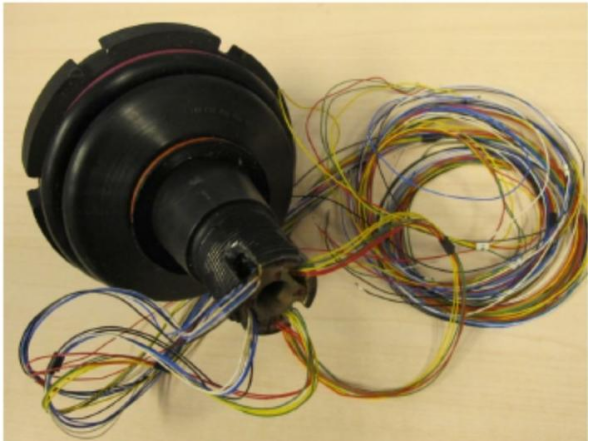 Ball joint
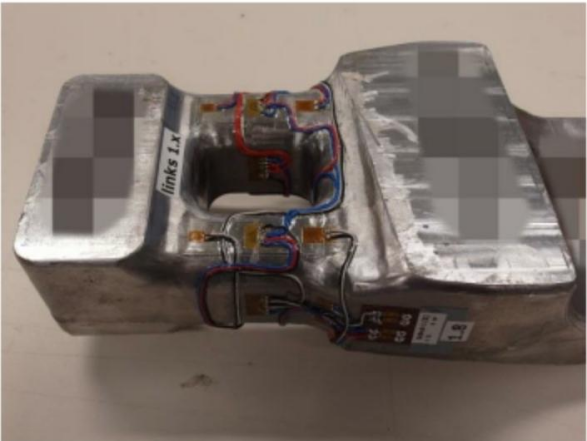 Trans mission mount