
编程:10分钟了解ANSA的API



百科-API:
3.4、如何创建实体
3.5、数据的管理
3.5.1、Model Browser - Parts, Groups
3.5.2、Includes Manager
3.5.3、Sets管理器

以下正文

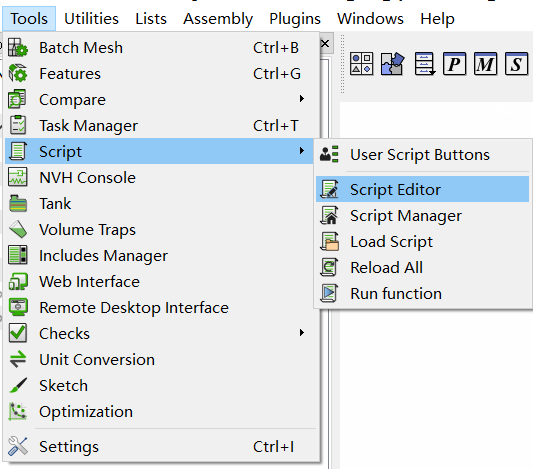
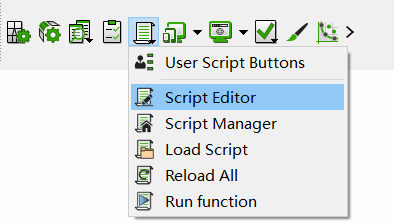
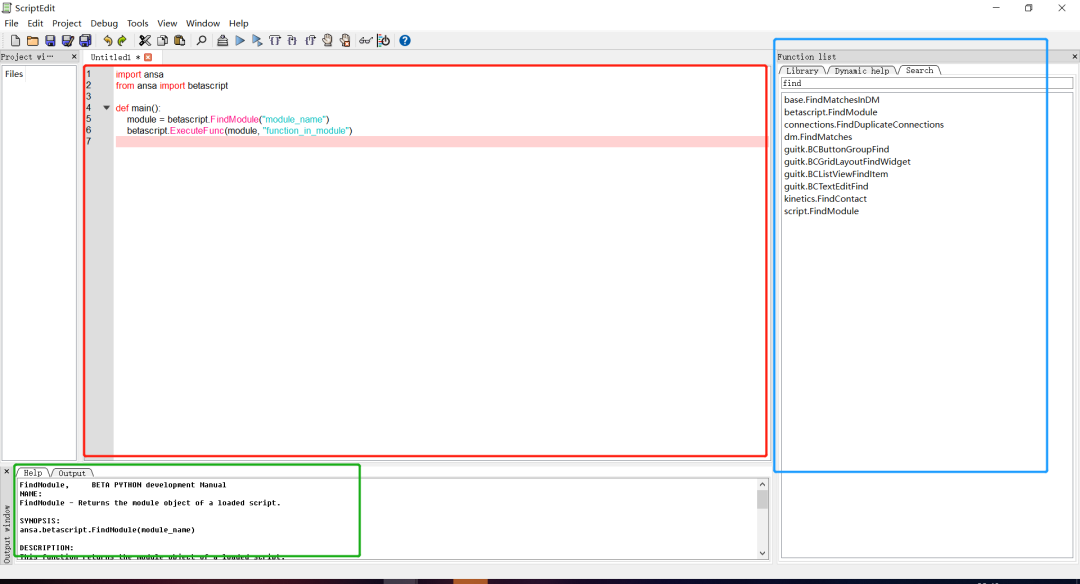
这个窗口中最中心处就是编译窗口(editor),右边是函数搜索工具,双击搜索到的函数,就会在下方的Help栏出现相关函数的用法及例子,然后用户在编译窗口编译的程序执行(Run)后,也会在下方的Output栏出现程序的执行信息。
2、ANSA中的模块(Module)
其实称Modules为【包】更合适,ANSA API中包含一系列函数(Functions)和类(Classes),这些函数和类都是可以直接用来跟ANSA 界面沟通的。不同的函数和类基于不同的特点被分到不同的Python包里,用户必须在程序中导入这些包后,才能使用包里的函数和类。
在ANSA中最基础的包是【base】,因为有关topo、deck、visibility、和element的处理函数都在这个包里,然后与deck紧密相关的包还有【constants】,这个包里包含了ANSA中的所有常量(constant)和相关函数,一般deck的指定都需要通过constant这个包来指引,如下所示。
from ansa import constantsconstants.NASTRANconstants.ABAQUS
3、在ANSA中访问数据
3.1、 ANSA中的【实体】Entity
ANSA数据库中的Entity,可以是一个Node、一个Element、一个Property、或者一个Connection,他们都是类(base.Entity)里的一个对象(Object)。每个对象都有相同的状态和属性。通过使用特定的函数,可以直接创建实体或者检索到实体。
有一些非常好用的获得实体属性的方法如下:
_id:返回实体的id号
_name:返回实体的名称
_comment:返回实体的注释内容
postion:返回实体点的坐标
举个栗子,要获得一个节点的名称和id号可以这么来:
name = node._namenid = node._id
print(node.position) # Prints the current node's positionnode.position = (6,7,4) # Set the node's coordinates to x=6, y=7, z=4
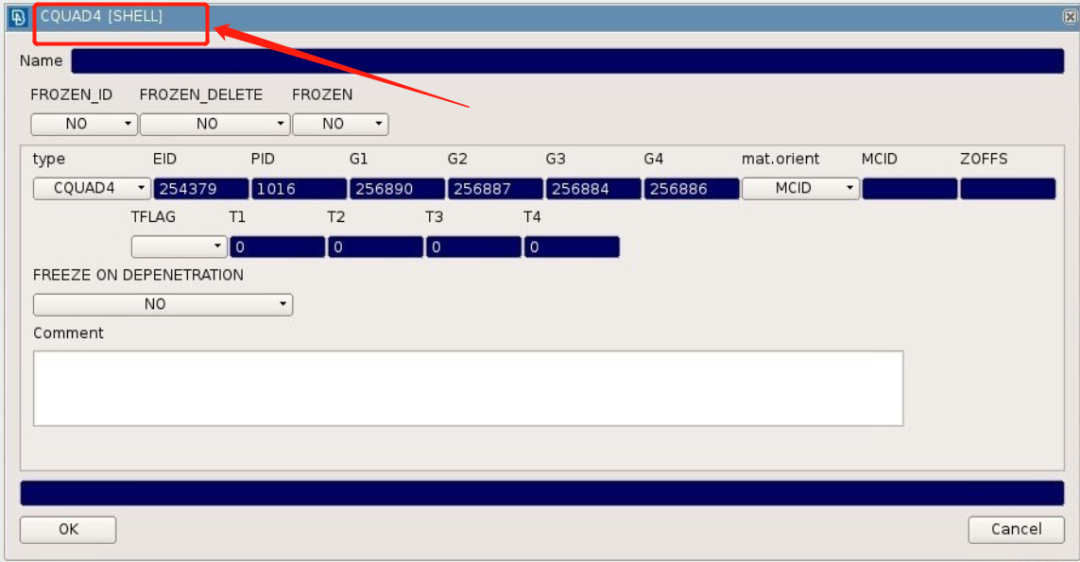
import ansafrom ansa import basefrom ansa import constantsdef main():#Define the keywords of the entities that you want to collect in a tuple.#These keywords are taken from the title of their cards.search_types = ('PSHELL', 'PSOLID')ents = base.CollectEntities(constants.NASTRAN, None, search_types)print('Number of entities collected:', len(ents))
def main():all_props = base.CollectEntities(constants.NASTRAN, None, '__PROPERTIES__')print('Number of properties collected:', len(all_props))all_mats = base.CollectEntities(constants.NASTRAN, None, '__MATERIALS__')print('Number of materials collected:', len(all_mats))
def main():#First collect the shells of the whole database.shells = base.CollectEntities(constants.NASTRAN, None, "SHELL")print('Number of shells:', len(shells))#Then collect the grids of these shells.grids = base.CollectEntities(constants.NASTRAN, shells, "GRID")print('Number of grids used from shells:', len(grids))
def main():#Collect the sets of the database.sets = base.CollectEntities(constants.NASTRAN, None, "SET")print('Number of sets:', len(sets))#Collect all the entities that belong to these sets.ents = base.CollectEntities(constants.NASTRAN, sets, False)print('Number of entities in sets:', len(ents))
def main():shells = base.CollectEntities(constants.NASTRAN, None, 'SHELL', filter_visible=True)print('Number of visible shells:', len(shells))
from ansa import basefrom ansa import constantsdef rename_nodes(val):# Collect all nodesnodes = base.CollectEntities(constants.NASTRAN, None, 'GRID')nodes_list = []for node in nodes:if node.position[0] < val:nodes_list.append(node)name = 'NODE WITH ID: %d AND XCOORD: %.5f' % (node._id, node.position[0])node.set_entity_values(constants.NASTRAN, {'Name': name})print('Number of nodes with x coordinate less than %d: %s' % (val, len(nodes_list)))return nodes_list
def main():#Collect entities that satisfy the searching patternents = base.NameToEnts("^Default.*")if not ents:print('No entities were found.')returnpshells = []psolids = []for ent in ents:#Distinguish the type of entityif ent.ansa_type(constants.NASTRAN) == "PSHELL":pshells.append(ent)if ent.ansa_type(constants.NASTRAN) == "PSOLID":psolids.append(ent)print('The collected PSHELLS:', pshells)print('The collected PSOLIDS:', psolids)
通过GetEntity这个关键字的单复数我们就能看出来,这个函数只能找到一个实体。而找到实体的方式也只能通过某个实体的id号来检索。下面这个例子就告诉我们如何找到一个id为100的节点。
def GetSingleEntity():node = base.GetEntity(constants.NASTRAN, 'GRID', 100)print('The retrieved node:', node._id)
这里分享一个小技巧。
Property是有很多种类的(比如它可能是一个PSHELL也可以是一个PSOLID),如果你不想具体去指定这个类型,可以用“__PROPERTIES__”这个关键字去代替所有的PROPERTY类型,类似的用法还有“__MATERIALS__”、“__MBCONTAINERS__”,分别用来检索所有的材料和模型树。
3.4 如何创建实体
def CreateGrid():fields = {'X1': 3.5, 'X2': 10.8, 'X3': 246.7}new_grid = base.CreateEntity(constants.NASTRAN, 'GRID', fields)print('The id of the new grid:', new_grid._id)
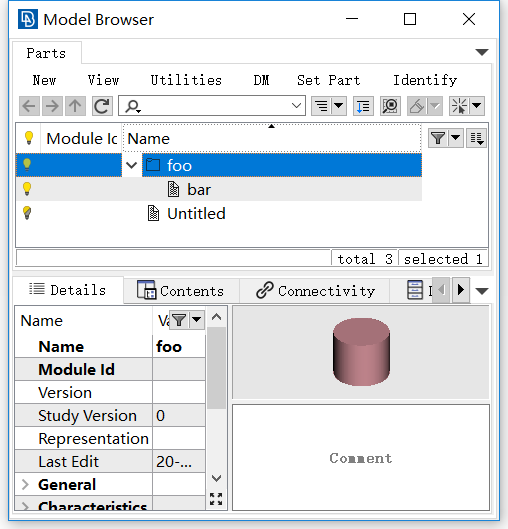
import ansafrom ansa import basedef main():# Let the user pick the elements from the interfaceelems = base.PickEntities(0, '__ELEMENTS__')print('Number of elements picked:', len(elems))# Create the group and the partgroup = base.NewGroup('foo')part = base.NewPart('bar')# Add the part to the groupbase.SetEntityPart(part, group)# Add the elements to the partbase.SetEntityPart(elems, part)
新生成的Group里有Part,Part里有Element,如下所示。
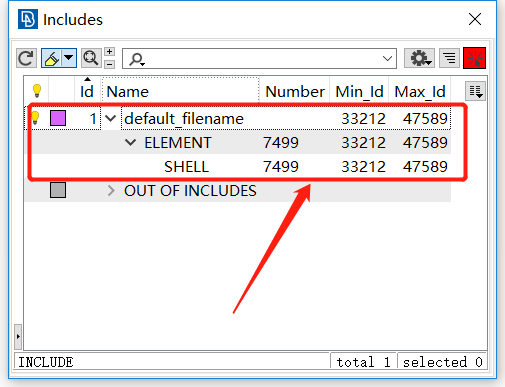
子文件管理器(Includes Manager)处理数据库的所有子文件类型的实体,类似于模型浏览器(Model Browser)和零件(Parts)。可以使用base.CreateEntity函数创建子文件。然后使用base.AddToInclude函数将实体添加到任何子文件中。
作为示例,我们可以创建一个子文件并在其中添加一些单元:
import ansafrom ansa import basedef main():elems = base.PickEntities(0, '__ELEMENTS__')print('Number of elements picked:', elems)# Create the include entityinclude = base.CreateEntity(0, 'INCLUDE')print('The created Include:', include._id)# Add the elements to the includebase.AddToInclude(include, elems)
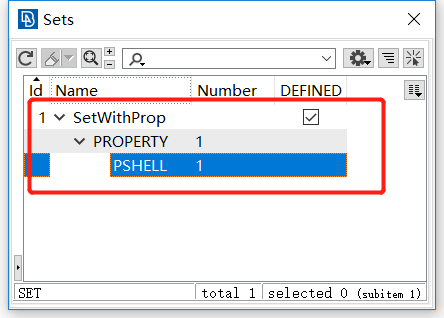
SET是一个实体,可以保存任何种类的ANSA实体,以便组织这些数据或对其进行大量操作。为了创建一个集 合,必须使用函数base.CreateEntity,并且为了在其中添加实体,必须使用函数base.AddToSet。
下面显示了一个简单的示例,其中将属性添加到新创建的SET中:
import ansafrom ansa import basefrom ansa import constantsdef main():# Retrieve the Propertyprop = base.GetEntity(constants.NASTRAN, '__PROPERTIES__', 600)# Create a setmy_set = base.CreateEntity(constants.NASTRAN, 'SET', {'Name': 'SetWithProp'})print('The created Set:', my_set._id)# Add the property to the setbase.AddToSet(my_set, prop)
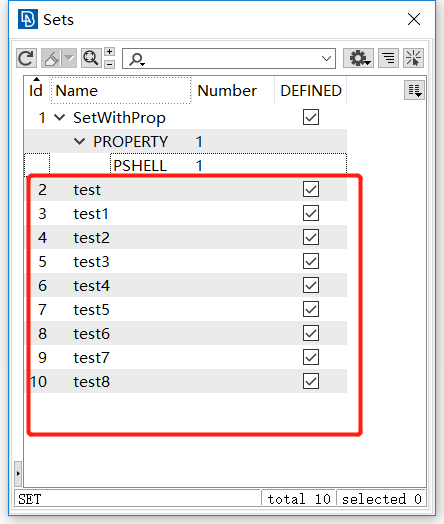
import ansafrom ansa import basefrom ansa import constantsdef create_set(name):my_set = base.CreateEntity(constants.NASTRAN, 'SET', {'Name': name})n = 1while not my_set:my_set = base.CreateEntity(constants.NASTRAN, 'SET', {'Name': name + str(n)})n += 1return my_setname = "test"create_set(name)
为了完成本教程,我们来看一个结合了上述API函数的示例。
首先假设,我们想找到x坐标小于1600的所有节点,并相应地重命名它们,如前面的示例所示。然后,我们希望将所有这些标识的节点添加到名为“ MyTempSet”的集 合中,但我们还要确保始终创建此集 合(要避免命名冲突)。
import ansafrom ansa import basefrom ansa import constantsdef _create_set(name):my_set = base.CreateEntity(constants.NASTRAN, 'SET', {'Name': name})n = 1while not my_set:my_set = base.CreateEntity(constants.NASTRAN, 'SET', {'Name': name + str(n)})n += 1return my_setdef _rename_nodes(val):nodes = base.CollectEntities(constants.NASTRAN, None, 'GRID')nodes_list = []for node in nodes:if node.position[0] < val:nodes_list.append(node)name = 'NODE WITH ID: %d AND XCOORD: %.5f' % (node._id, node.position[0])node.set_entity_values(constants.NASTRAN, {'Name': name})return nodes_listdef main():nodes = _rename_nodes(1600)my_set = _create_set('MyTempSet')base.AddToSet(my_set, nodes)main()
以上程序运行就可以得到得到以下的结果,新建了一个MyTempSet的SET组,并把所有X坐标小于1600的节点保存在其中。
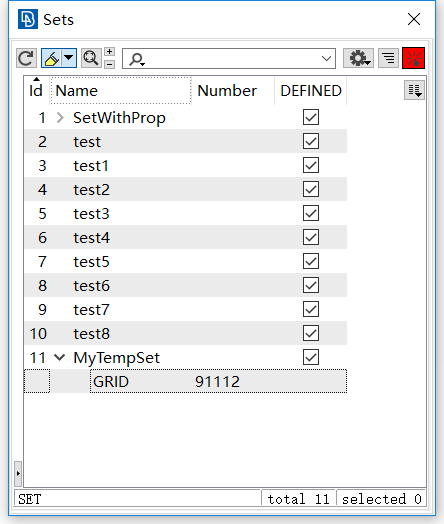
相应的所有被选中的节点也被改了名字。
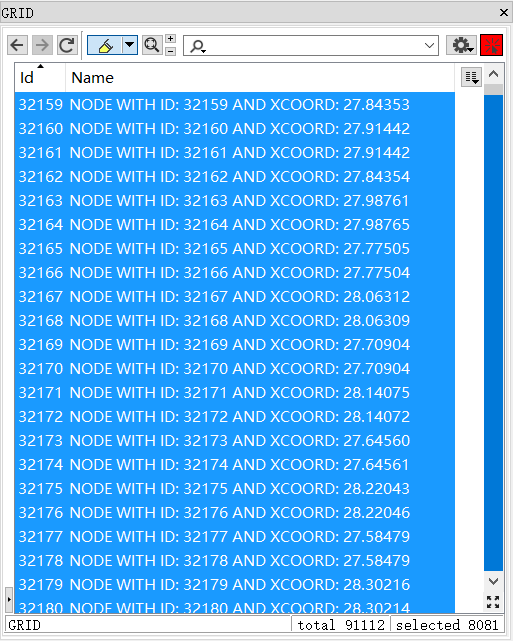
要注意的是,我们为函数base.AddToSet()提供了一个包含所有节点的列表。这与将检索到的每个实体对象都调用函数相比,将所有实体对象收集到列表中并仅调用一次函数要快得多。
通常,提供实体对象列表并且仅调用一次函数时,其工作速度会大大提高。